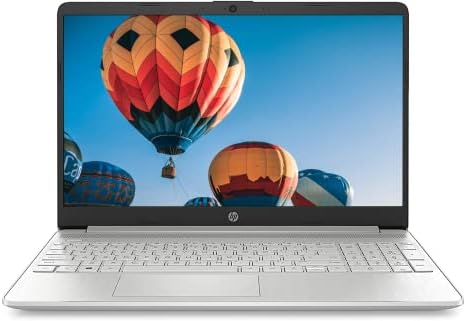
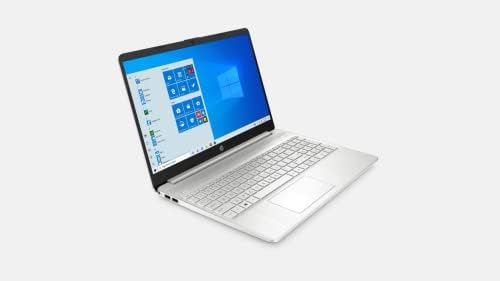
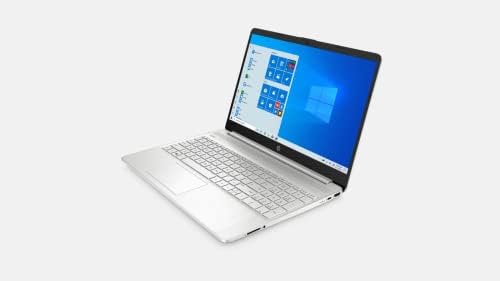
2021 Newest HP 15.6″ Micro-Edge HD Laptop, Intel Core i3-1115G4 up to 4.1GHz (Beat i5-1035G4), 16GB RAM, 512GB NVMe SSD, Numpad, Lightweight, WiFi, Bluetooth, Webcam, Fast Charge, HDMI, Win10 S
$840.76


Price: $840.76
(as of Jul 21,2022 04:02:59 UTC – Details)

We sells computers with upgraded configurations. If the computer has modifications (listed above), then the manufacturer box is opened for it to be tested and inspected and to install the upgrades to achieve the specifications as advertised. If no modifications are listed, the item is unopened and untested. Defects & blemishes are significantly reduced by our in depth inspection & testing.
Processor: Intel Core i3-1115G4 (up to 4.1 GHz with Intel Turbo Boost Technology, 6 MB L3 cache, 2 cores, 4 threads)
Memory: 16GB DDR4 RAM
Graphics: Intel UHD Graphics
Storage: 512 GB PCIe NVMe M.2 SSD
Display: 15.6″ diagonal, HD (1366 x 768), micro-edge, BrightView, 250 nits, 45% NTSC
Connectivity: Realtek RTL8821CE-M 802.11a/b/g/n/ac (1×1) Wi-Fi and Bluetooth 4.2 combo
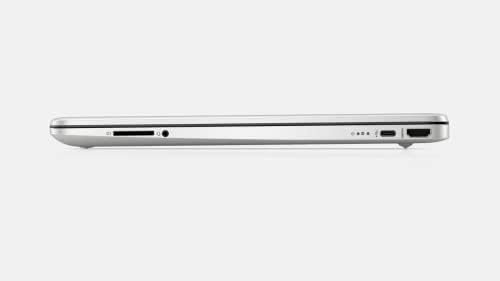
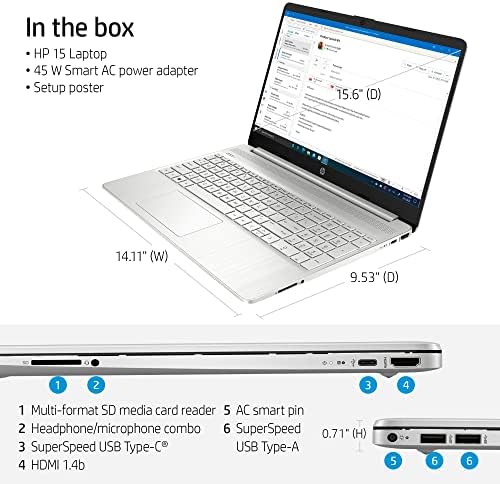
Expansion slots: 1 multi-format SD media card reader
Ports:
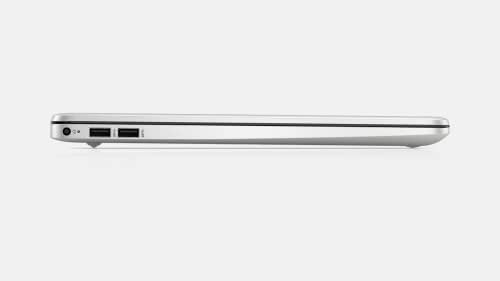
1 SuperSpeed USB Type-C 5Gbps signaling rate
2 SuperSpeed USB Type-A 5Gbps signaling rate
1 HDMI 1.4b
1 AC smart pin
1 headphone/microphone combo
Power supply: 45 W Smart AC power adapter
Battery: 3-cell, 41 Wh Li-ion
Webcam: HP True Vision 720p HD camera with integrated dual array digital microphones
Audio: Dual speakers
How to switch s mode to windows 10
1. On your PC running Windows 10 in S mode, open Settings > Update & Security > Activation.
2. In the Switch to Windows 10 Home or Switch to Windows 10 Pro section, select Go to the Store. (If you also see an “Upgrade your edition of Windows” section, be careful not to click the “Go to the Store” link that appears there.)
3. On the Switch out of S mode (or similar) page that appears in the Microsoft Store, select the Get button. After you see a confirmation message on the page, you’ll be able to install apps from outside of the Microsoft Store.
【11th Gen Intel Core i3-1115G4 】3 GHz base frequency, up to 4.1 GHz with Intel Turbo Boost Technology, The 11th gen dual-core laptop brings the perfect combination of features to make you unstoppable. This is an ideal home office laptop to get things done fast with high performance, instant responsiveness and best-in-class connectivity.
【Upgrade to 16GB DDR4 RAM】Get the mighty performance out of your laptop with support of the latest DDR4 memory. Enjoy the faster system speed and responsiveness, the new standard will take your gaming experience to the next level.
【Upgraded storage to 512GB PCIe SSD】Provides massive storage space for huge files, so that you can store important digital data and work your way through it with ease. It gives you enormous space to save all of your files.
【Windows 10 Home in S mode】You may switch to regular windows 10: Press “Start button” bottom left of the screen; Select “Settings” icon above “power” icon;Select Update & Security and Activation, then Go to Store; Select “Get” option under “Switch out of S mode”; Hit Install. (If you also see an “Upgrade your edition of Windows” section, be careful not to click the “Go to the Store” link that appears there.)


There are no reviews yet.